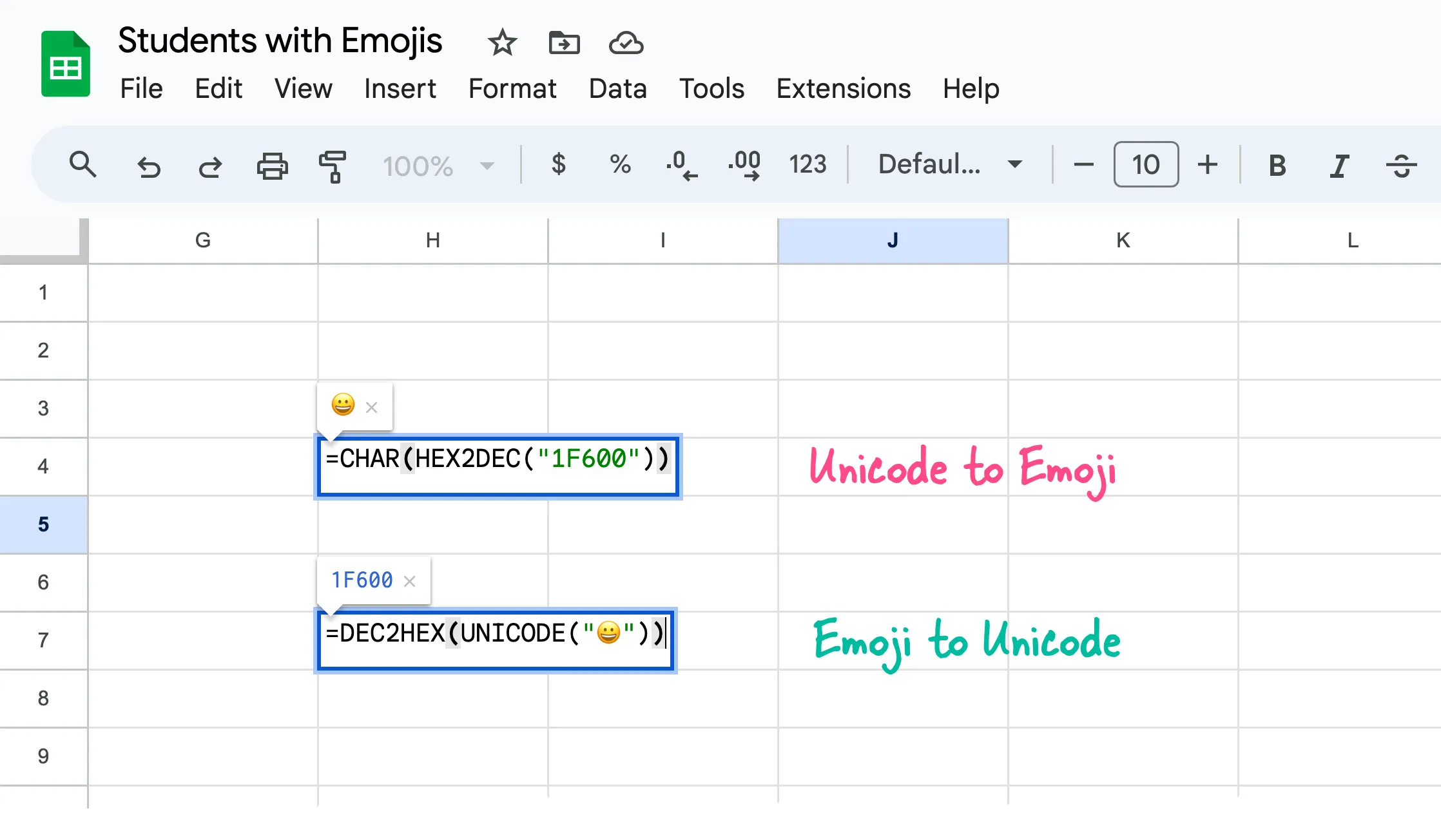
Emojis can be a fun and effective way to add visual interest to your Google Sheets formulas. There are so many different ways to add emojis in Google Sheets but my favorite option is the built-in CHAR function.
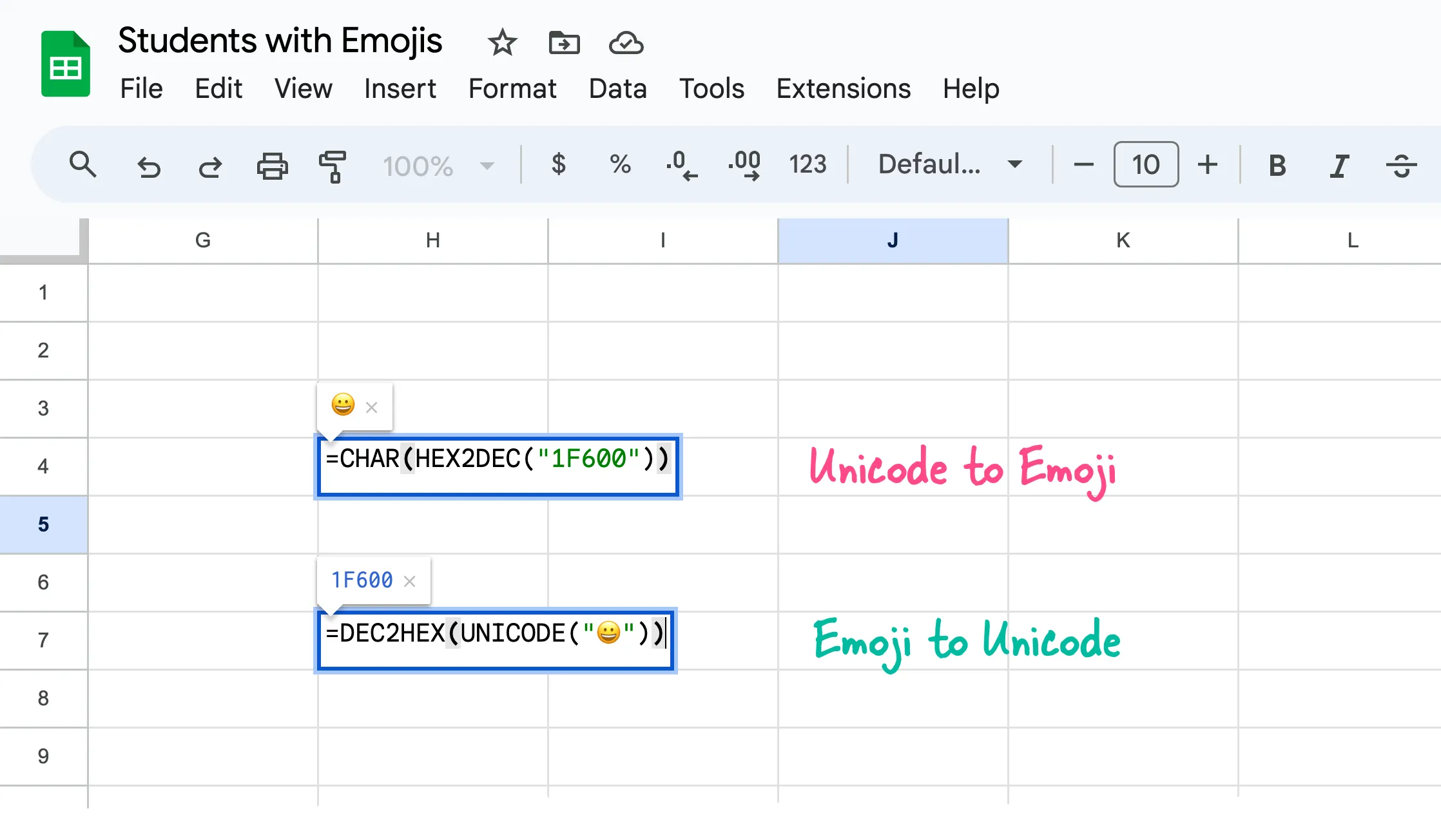
You can copy the hex code of any emoji from unicode.org and then use the HEX2DEC function to convert the hexadecimal value into its decimal equivalent. The CHAR function will take this decimal number as input and returns the corresponding emoji symbol.
// Add the 😀 emoji to the active cell
=CHAR(HEX2DEC("1F600"))

// Get the hex value of 😀 emoji
=DEC2HEX(UNICODE("😀"))
Well the purpose of this guide is not to explain how to add emojis in Google Sheets but the problems that emojis may cause in your production workflows related to Google Sheets.
The problem with Emojis in Google Sheets
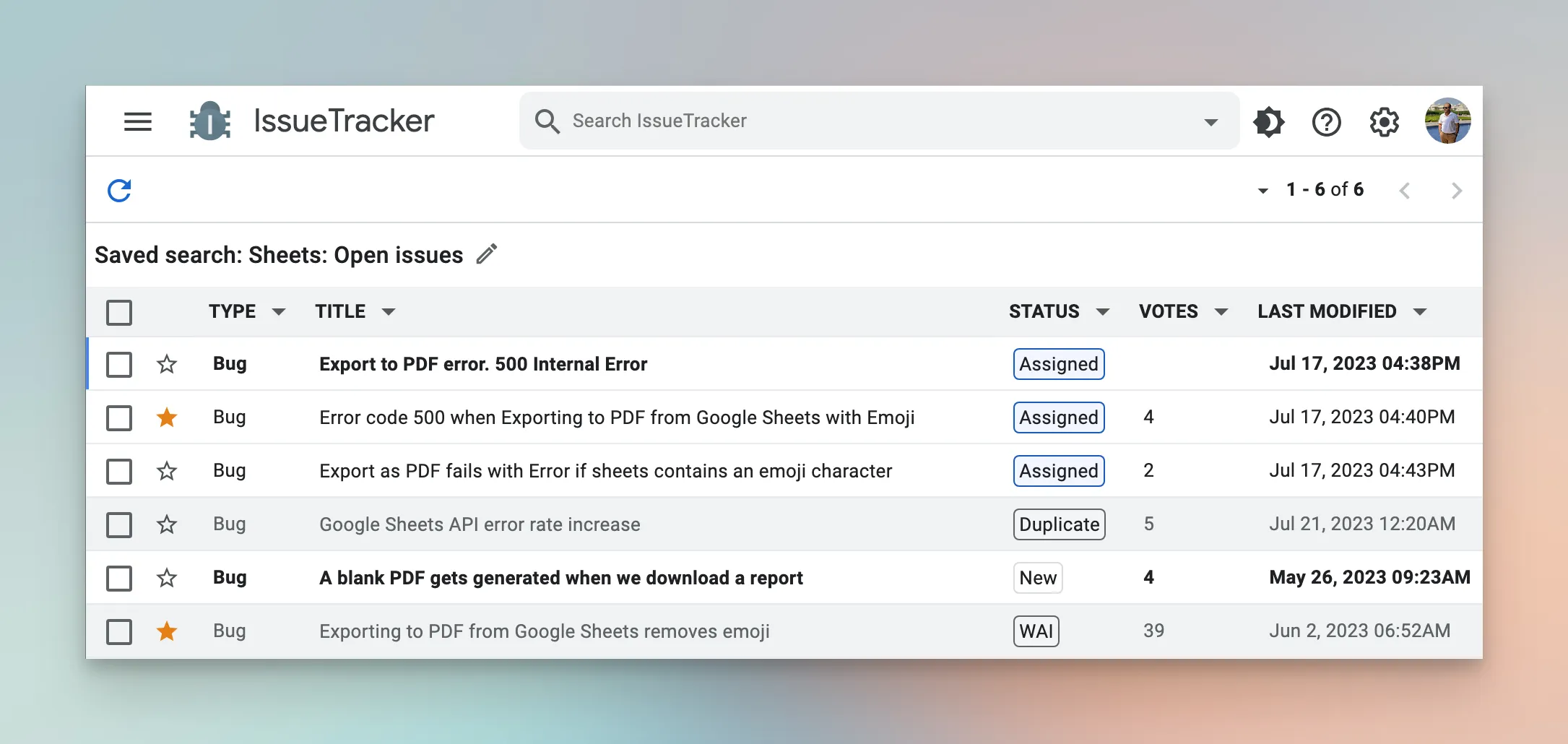
If you are to convert any Google Sheet to a PDF file programmatically, Apps Script can help. However, if your Google Sheet contains any emoji symbols, the PDF conversion engine will fail with a 500 error. This issue arises due to a known bug (see issue tracker) at Google’s end and there has not been any resolution so far.
Replace Emojis in Google Sheets
Google Add-ons like Email Google Sheets and Document Studio internally use Google Drive’s own conversion engine to convert spreadsheets into PDF files. the input sheet contains any emoji symbol, the PDF conversion would always fail owning to the bug.
The only workaround to this problem is to check your spreadsheet file for any emoji symbols and remove them before performating the PDF conversion.
/*
 *  Replace Emoji Symbols in Google Spreadsheet
 *  Written by Amit Agarwal www.labnol.org
 */

const replaceEmojisInGoogleSheet = () => {
  SpreadsheetApp.getActiveSpreadsheet()
    .getSheets()
    .filter((sheet) => sheet.getType() === SpreadsheetApp.SheetType.GRID)
    .filter((sheet) => sheet.isSheetHidden() === false)
    .forEach((sheet) => {
      sheet
        .getDataRange()
        .getValues()
        .forEach((row, rowIndex) => {
          row.forEach((cell, colIndex) => {
            if (typeof cell === 'string' && /\p{Emoji_Presentation}/u.test(cell)) {
              sheet.getRange(rowIndex + 1, colIndex + 1).setValue(cell.replace(/\p{Emoji_Presentation}/gu, ' ').trim());
            }
          });
        });
    });

  SpreadsheetApp.flush();
};
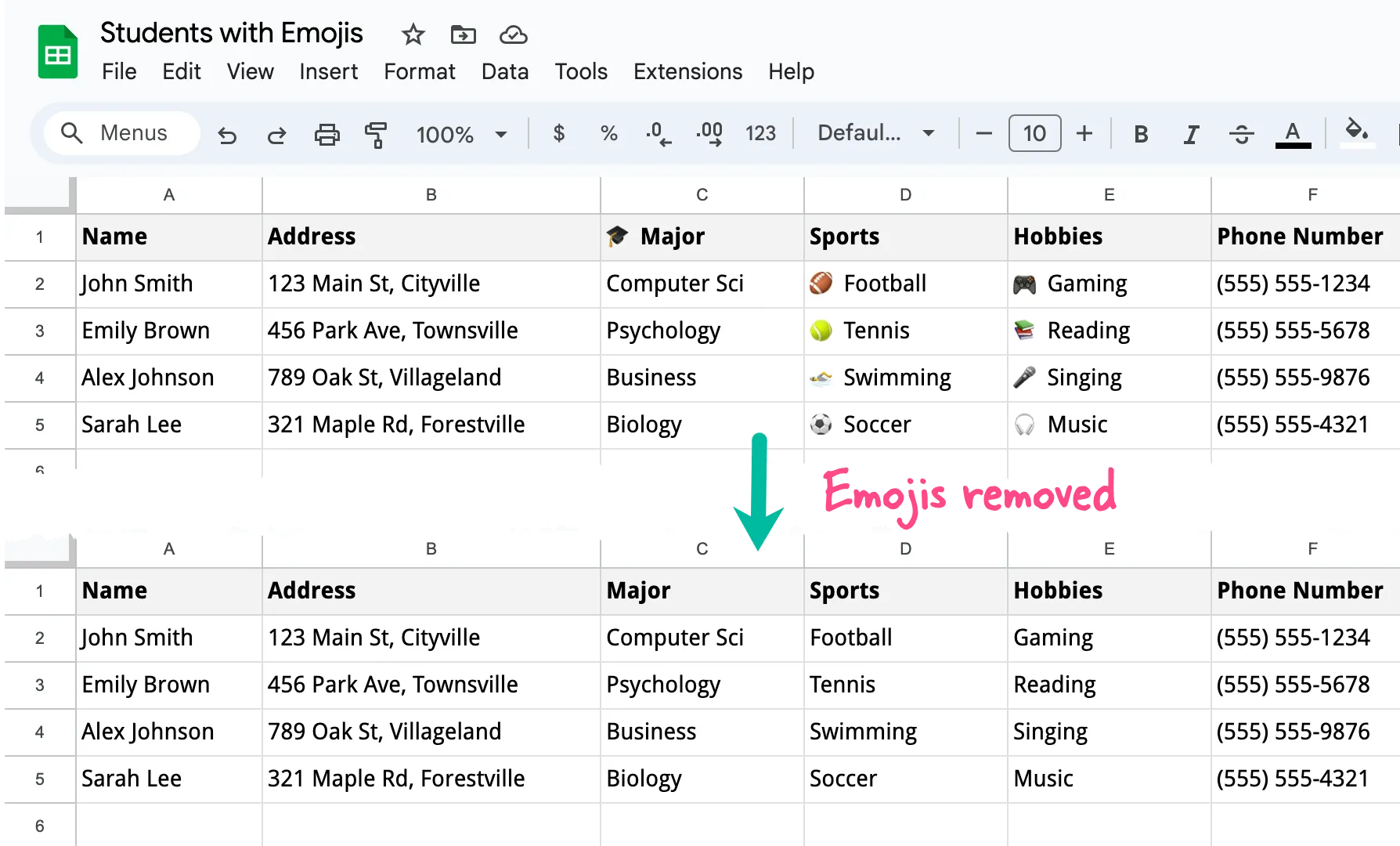
The Google Script will now scan your entire sheet, detect any cells containing emojis, and replace those emojis with spaces. After running the script, you can safely convert your sheet to a PDF file without encountering the 500 error caused by emoji symbols.
The \p{Emoji_Presentation} pattern in the regular expression matches emoji characters. The g flag is for a global search (to replace all occurrences) and the u flag is for Unicode mode (to properly handle emoji characters).
Author

prakhar@affmantra.com
Related Posts

How to Add Speech Recognition to your Website
Table of Contents 1. Add Voice Recognition to your Website Open the Google website on your desktop computer and you’ll find a...
Read out all
How to Handle OAuth Permissions in Google Add-ons
- 0
- 714 words
Table of Contents 1. How to Check for Required OAuth Scopes 1.1 The “Authorization Catch-22” Problem 1.2 How to Reset the Permissions...
Read out all
How to Recover Permanently Deleted Files and Folders in Google Drive
- 0
- 326 words
Table of Contents When you delete any file or folder in your Google Drive, it is moved to the trash folder. The...
Read out all
Simple URL Tricks for Google Drive You Should Know
- 0
- 374 words
Table of Contents 1. Google Drive URL Tricks 1.1 Google Drive Web Viewer 1.2 Reader Mode for Google Drive Files 1.3 Embed...
Read out all
How to Extract URLs from HYPERLINK Function in Google Sheets
- 0
- 201 words
The HYPERLINK formula of Google Sheets lets you insert hyperlinks into your spreadsheets. The function takes two arguments: The full URL of...
Read out all
Find and Remove Inactive Users in your Google Workspace Domain
- 0
- 388 words
Table of Contents 1. Find the inactive users in Google Workspace domain You can use Google Apps Script to find all the...
Read out all