In a previous tutorial, you learned how to send WhatsApp messages from Google Sheets using the official WhatsApp API. The first 1,000 messages per month for each WhatsApp Business Account are free and then you pay per use based on the country of the message sender and the message recipient.
WhatsApp API Pricing
For instance, if you are sending a WhatsApp message from the US phone number to a WhatsApp user in France, the cost would be 14¢ per message. However, if you send messages from WhatsApp number in India to another number in India, the cost would be around 0.006¢ per message. The rate cards for WhatsApp API pricing are available here.
In addition to the cost factor, the WhatsApp Business API requires you to have a verified business on Facebook (see verification requirements) and the terms require that you will only send message to WhatsApp users who have opted-in to receive future messages from you on WhatsApp.
The other limitation of WhatsApp API is that you can only send messages that are based on templates pre-approved by WhatsApp. You can however send free-form messages within 24 hours of
the last user message in a conversation.
WhatsApp Function for Google Sheets
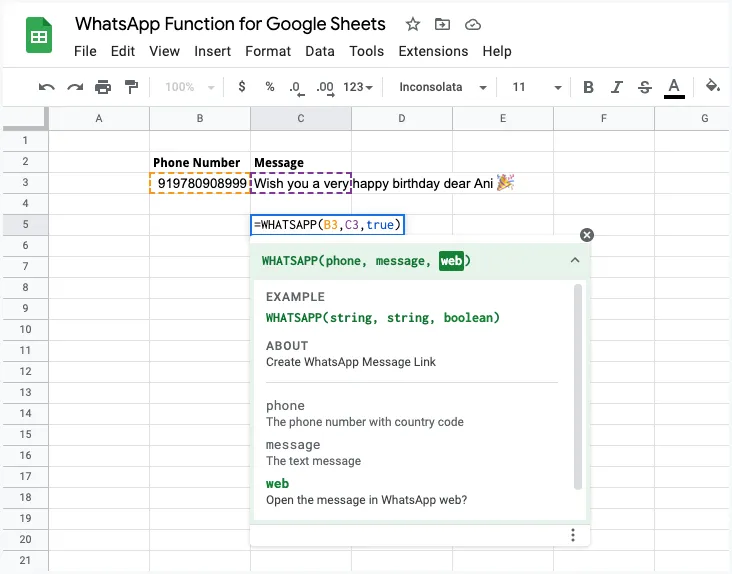
If you are a small business that is looking for an alternate route to message customers on WhatsApp without paying for the API, here’s a semi-automated technique. You can use the Click to Chat feature of WhatsApp to quickly send a personalized message to any phone number that’s registered on WhatsApp.
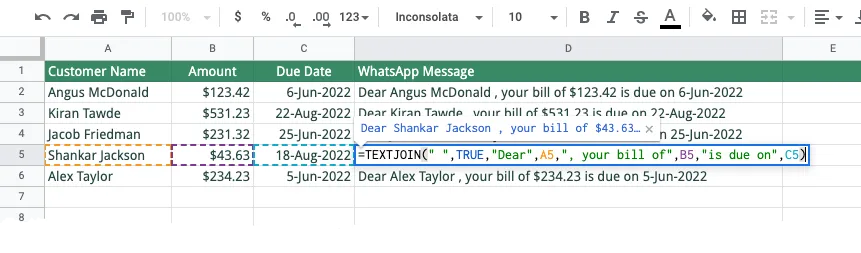
For this example, we have a sheet that list the customer’s name, amount that they have to pay and the due date for payment. We can use the CONCATENATE or TEXTJOIN function of Google Sheets to create a personalized message for each client in column D.
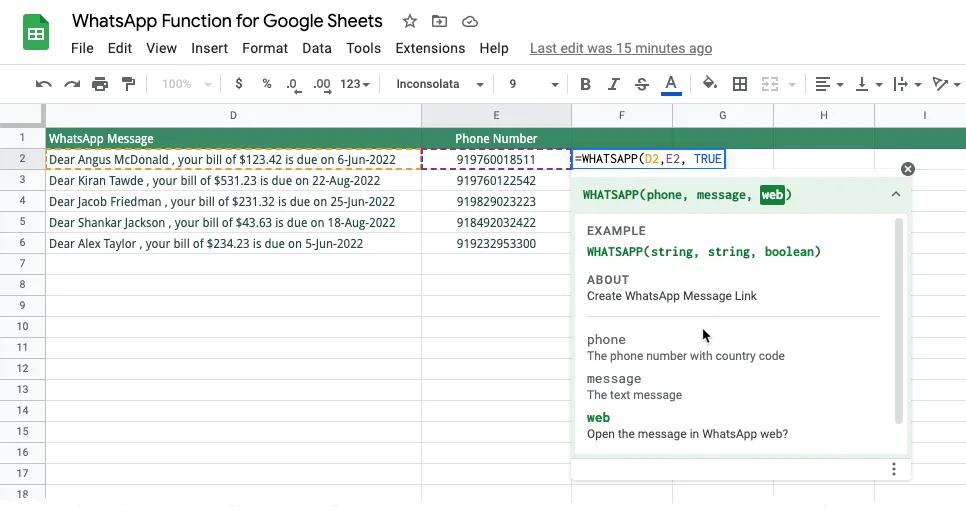
The column E of the Google Sheet contains the phone numbers of each WhatsApp user. We can use the WHATSAPP custom function to create a personalized chat link for different customers in the Google Sheet. When you click this chat link, it automatically open a WhatsApp conversation with the user and the message is pre-filled in the chat box.
This method does require a few extra click but there’s no cost involved and it works for both WhatsApp Business and WhatsApp personal accounts.
WhatsApp Function
Here’s the underlying WHATSAPP function that generates the Click to Chat link in Google Sheets. It also supports Array Formulas.
The third parameter determines whether the link should launch the WhatsApp website or the WhatsApp desktop client. You can play with the live sheet here.
/**
 * Create WhatsApp Click to Chat Link
 *
 * @param {string} phone The phone number with country code
 * @param {string} message The text message
 * @param {boolean} web Open the message in WhatsApp web?
 * @return The pre-filled message link for WhatsApp.
 * @customfunction
 */
function WHATSAPP(phone, message, web) {
  if (Array.isArray(phone)) {
    return phone.map((row, index) => WHATSAPP(row[0], message[index][0]), web);
  }
  const phoneNumber = String(phone).replace(/[^\d]/g, '');
  const messageText = encodeURIComponent(message);
  return web === true
    ? `https://web.whatsapp.com/send?phone=${phoneNumber}&text=${messageText}`
    : `https://wa.me/${phoneNumber}?text=${messageText}`;
}Author

prakhar@affmantra.com
Related Posts

How to Add Speech Recognition to your Website
Table of Contents 1. Add Voice Recognition to your Website Open the Google website on your desktop computer and you’ll find a...
Read out all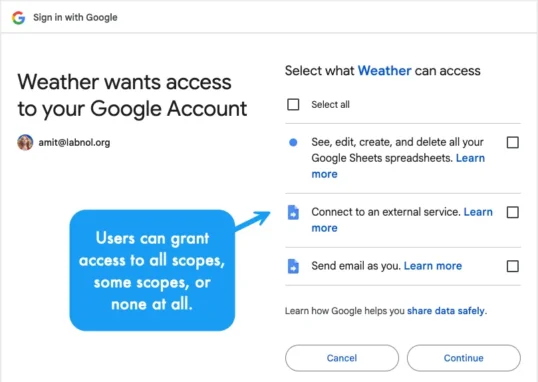
How to Handle OAuth Permissions in Google Add-ons
- 0
- 714 words
Table of Contents 1. How to Check for Required OAuth Scopes 1.1 The “Authorization Catch-22” Problem 1.2 How to Reset the Permissions...
Read out all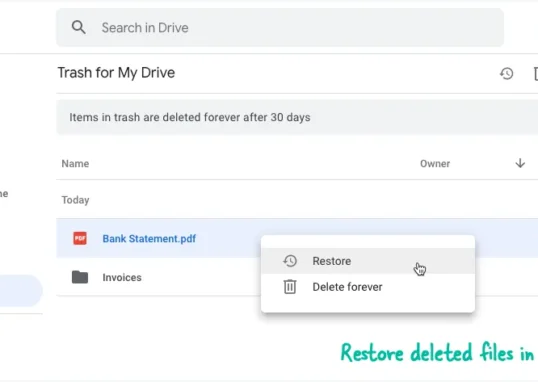
How to Recover Permanently Deleted Files and Folders in Google Drive
- 0
- 326 words
Table of Contents When you delete any file or folder in your Google Drive, it is moved to the trash folder. The...
Read out all
Simple URL Tricks for Google Drive You Should Know
- 0
- 374 words
Table of Contents 1. Google Drive URL Tricks 1.1 Google Drive Web Viewer 1.2 Reader Mode for Google Drive Files 1.3 Embed...
Read out all
How to Extract URLs from HYPERLINK Function in Google Sheets
- 0
- 201 words
The HYPERLINK formula of Google Sheets lets you insert hyperlinks into your spreadsheets. The function takes two arguments: The full URL of...
Read out all
Find and Remove Inactive Users in your Google Workspace Domain
- 0
- 388 words
Table of Contents 1. Find the inactive users in Google Workspace domain You can use Google Apps Script to find all the...
Read out all