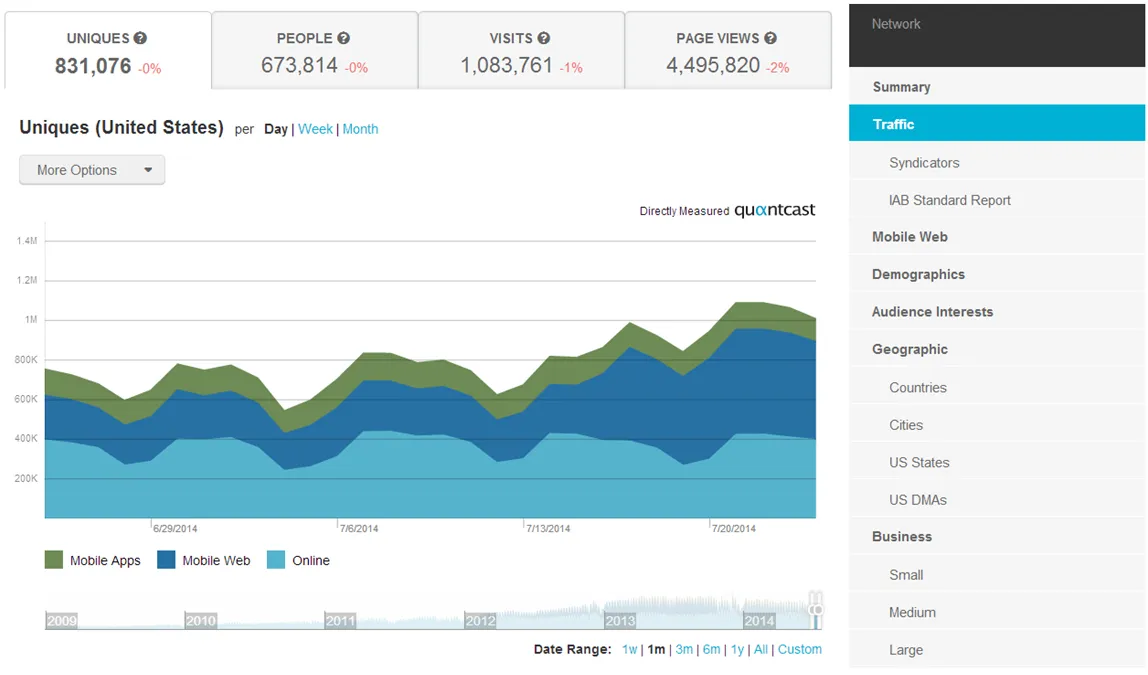
Would you like to know how much traffic (or page views) other websites in your niche are getting for competitive analysis? While it will be difficult for any third-party to accurately measure the traffic of a site, there are a bunch of traffic estimation services that can give you a better understanding of the popularity of a website. Here’s a list:
1. Similar Web – It started as a tool for finding similar sites but now offers a range of data including traffic analysis in a clean interface. You get to know the site’s traffic over time, the countries that are sending the most traffic, what search keywords are bringing the organic referrals, how much time users are spending on a site and so on. The traffic reports can be downloaded as PDF files for archiving.
2. SEM Rush – It offers plenty of information around search (organic) traffic for any website. Put in the website URL and you’ll instantly know how the site has fared in organic search over time. The data can be split by country, you get to know which sites are sending traffic and also the keywords that are bringing the most visitors. Open Site Explorer is another popular tool in this category.
3. Alexa – Enter the website’s domain and Alexa will reveal the ranking of that website based on a combined measure of unique visitors and page views. The rank isn’t based on a site’s traffic alone but is relative to the traffic of all other sites that are monitored by Alexa. Webmasters are often skeptical of Alexa number but the rank is still a good indicator of a website’s popularity over time.
4. QuantCast – Like Compete, you can use QuantCast to determine how many people have visited a selected site during a given period from desktop or mobile phone. For sites that have implemented the QuantCast tags, you get more accurate metrics including visitor demographics, traffic by country, and the split in mobile and desktop traffic.
- Ahref – With Ahrefs SEO toolkit, you can see how much organic search traffic your competitor’s website is generating and what are the top search keywords that the website ranks for in Google search.
Also see: Know Everything About a Web Site
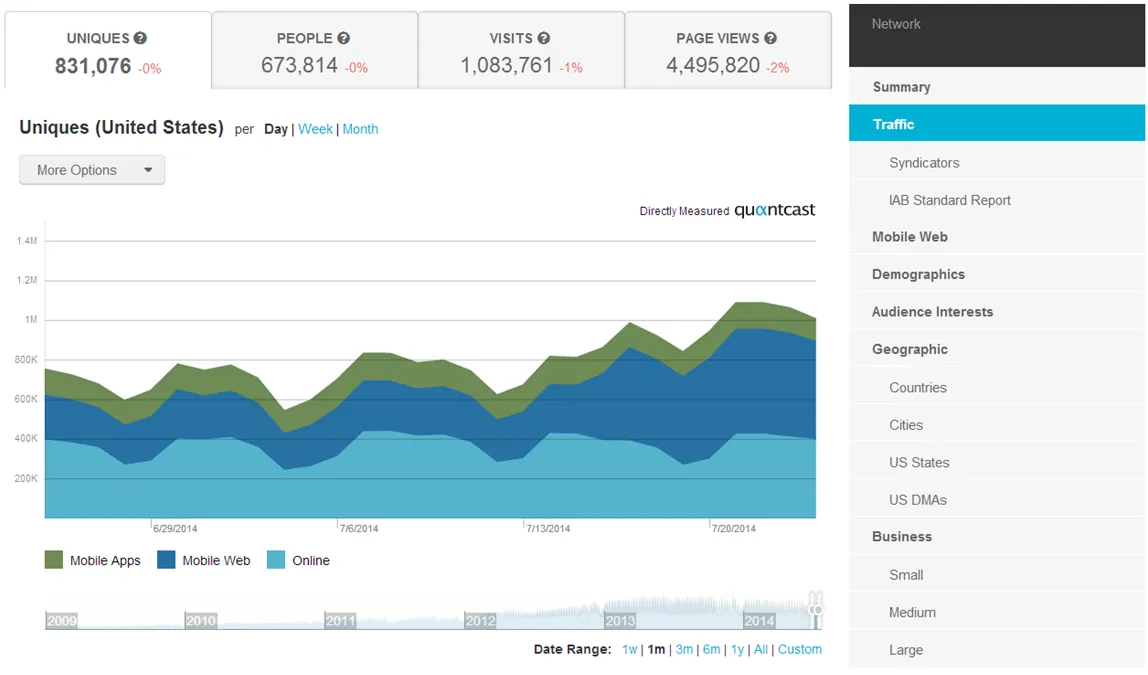
Find Website Traffic with Google AdWords
Sometime back, Google Ad Planner and Google Trends for Websites were the go-to tools for estimating a site’s traffic but they have since been discontinued. You can however still use Google AdWords to get a good idea of a site’s traffic and demographics. Here’s how:
Sign-in to Adwords with your Google Account. You need not be an AdWords advertiser to use this tool.
Next put the site’s domain in the search box, set the Campaign targeting to United States (or remove geographic targeting to see global traffic) and click “Get Placement Ideas.” Google will now show you the average impressions per week for that domain and if you multiply that number by 4, you get a good estimate of the site’s monthly traffic (hits).
Author

prakhar@affmantra.com
Related Posts

How to Add Speech Recognition to your Website
Table of Contents 1. Add Voice Recognition to your Website Open the Google website on your desktop computer and you’ll find a...
Read out all
How to Handle OAuth Permissions in Google Add-ons
- 0
- 714 words
Table of Contents 1. How to Check for Required OAuth Scopes 1.1 The “Authorization Catch-22” Problem 1.2 How to Reset the Permissions...
Read out all
How to Recover Permanently Deleted Files and Folders in Google Drive
- 0
- 326 words
Table of Contents When you delete any file or folder in your Google Drive, it is moved to the trash folder. The...
Read out all
Simple URL Tricks for Google Drive You Should Know
- 0
- 374 words
Table of Contents 1. Google Drive URL Tricks 1.1 Google Drive Web Viewer 1.2 Reader Mode for Google Drive Files 1.3 Embed...
Read out all
How to Extract URLs from HYPERLINK Function in Google Sheets
- 0
- 201 words
The HYPERLINK formula of Google Sheets lets you insert hyperlinks into your spreadsheets. The function takes two arguments: The full URL of...
Read out all
Find and Remove Inactive Users in your Google Workspace Domain
- 0
- 388 words
Table of Contents 1. Find the inactive users in Google Workspace domain You can use Google Apps Script to find all the...
Read out all