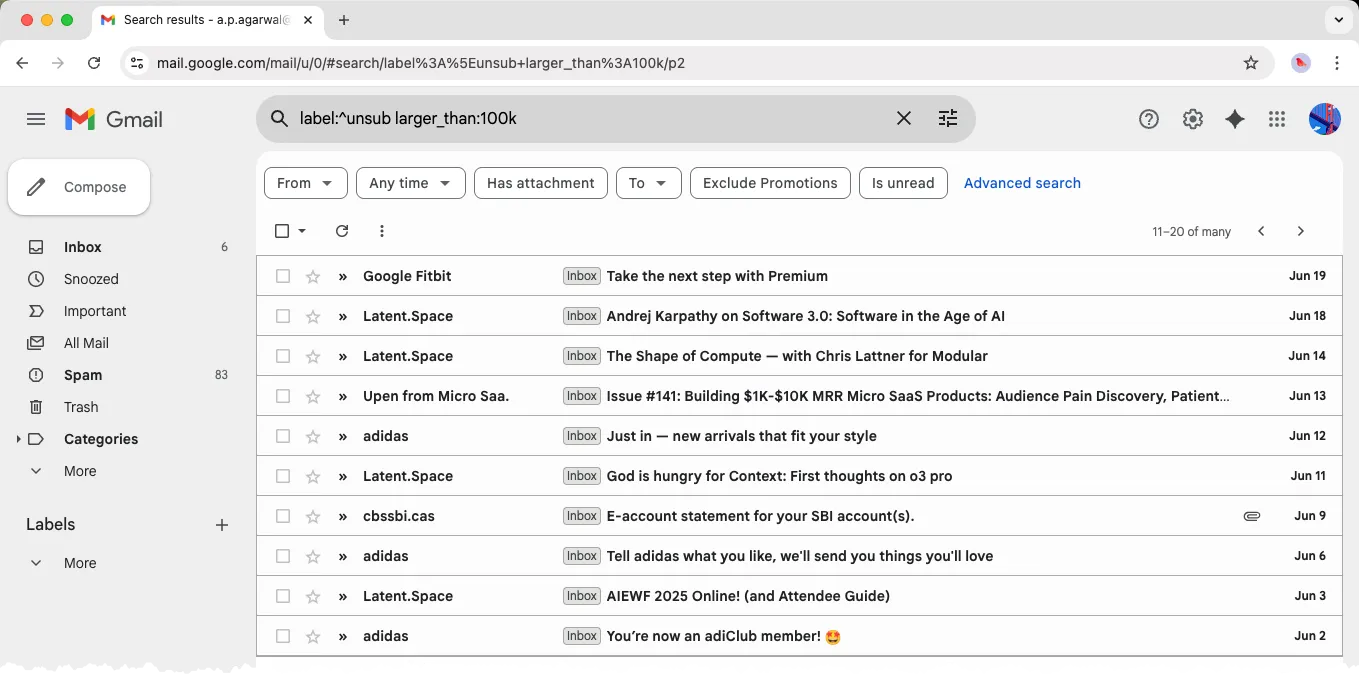
Gmail recently rolled out a new feature that helps you unsubscribe from bulk emails with minimal effort. This is a good way to declutter your inbox and focus on the emails that matter most.
You open the Manage Subscriptions page in Gmail and it shows a list of all bulk email senders, sorted by the number of messages received from each sender. You can then unsubscribe from any sender with a single click.
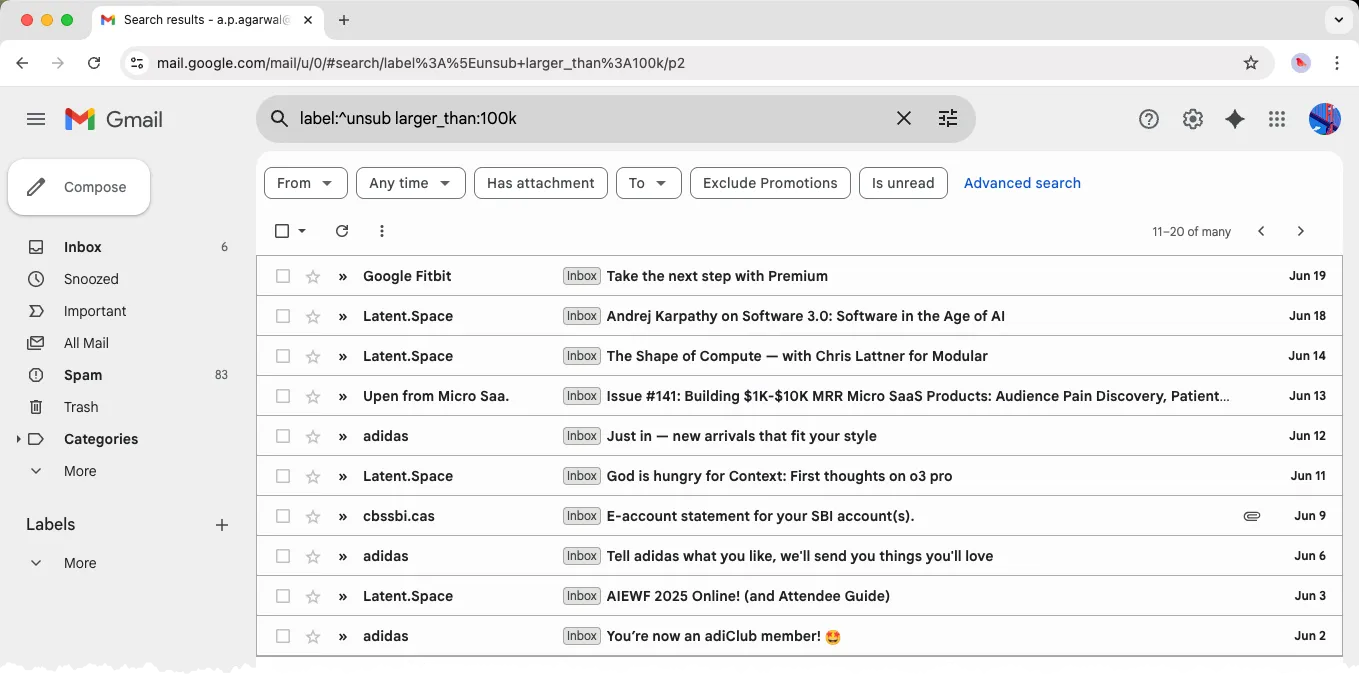
Find All Newsletters in your Inbox
What if you only want a clear list of every email newsletter and promotional email that has landed in your Gmail inbox, sorted by the date when they were received?
Well, there’s an undocumented Gmail search operator that can help you with that. Go your Gmail search box and type the following query:
label:^unsubThe ^unsub is a system label in Gmail that is automatically applied to emails that Gmail considers as bulk emails. This includes newsletters, promotional emails, and other types of mass mailings.
Reclaim Space in your Gmail Account
Combine the secret Gmail unsubscribe operator with the larger_than operator to filter out bulk emails that are larger than a certain size, like this:
label:^unsub larger_than:100kThis will show you all the bulk emails in your inbox that are larger than 100 kb, which typically includes newsletters and promotional emails. You can then send these emails to the trash bin and reclaim some space in your Gmail account.
Also see: Find Large Files in Google Drive
Author

prakhar@affmantra.com
Related Posts

How to Add Speech Recognition to your Website
Table of Contents 1. Add Voice Recognition to your Website Open the Google website on your desktop computer and you’ll find a...
Read out all
How to Handle OAuth Permissions in Google Add-ons
- 0
- 714 words
Table of Contents 1. How to Check for Required OAuth Scopes 1.1 The “Authorization Catch-22” Problem 1.2 How to Reset the Permissions...
Read out all
How to Recover Permanently Deleted Files and Folders in Google Drive
- 0
- 326 words
Table of Contents When you delete any file or folder in your Google Drive, it is moved to the trash folder. The...
Read out all
Simple URL Tricks for Google Drive You Should Know
- 0
- 374 words
Table of Contents 1. Google Drive URL Tricks 1.1 Google Drive Web Viewer 1.2 Reader Mode for Google Drive Files 1.3 Embed...
Read out all
How to Extract URLs from HYPERLINK Function in Google Sheets
- 0
- 201 words
The HYPERLINK formula of Google Sheets lets you insert hyperlinks into your spreadsheets. The function takes two arguments: The full URL of...
Read out all
Find and Remove Inactive Users in your Google Workspace Domain
- 0
- 388 words
Table of Contents 1. Find the inactive users in Google Workspace domain You can use Google Apps Script to find all the...
Read out all